


All you need to know
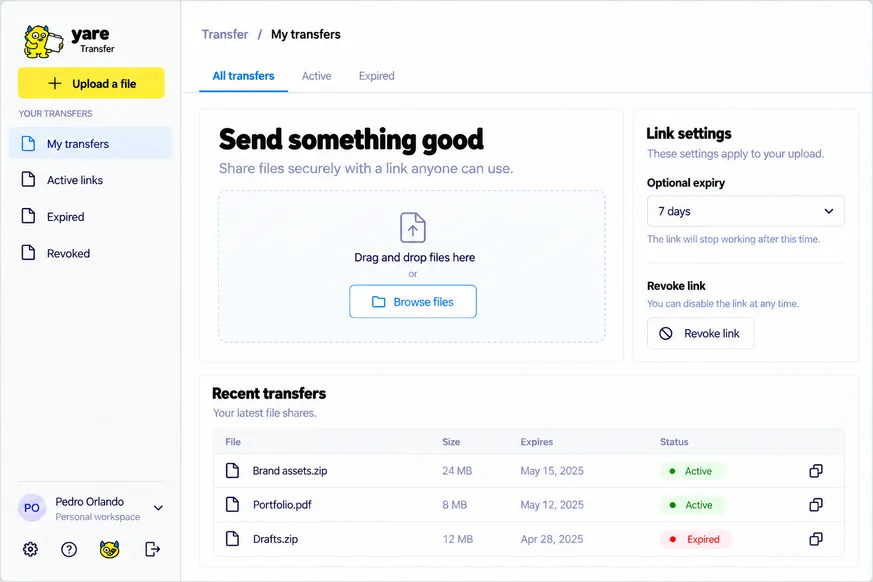
Share a file with a link. Upload, copy the link, send it, and set an expiry or revoke it when you’re done. The file-transfer service you’d otherwise pay for, on your own storage with your own limits.
Why Yare Transfer?
Because sending a big file shouldn’t mean paying for storage you don’t control.
And it’s easy.
You don’t need to be technical. Pick a path: follow the steps one by one, hand the guide to your AI assistant and let it do the setup, or use the terminal if that’s your thing. Every path ends with your own app, running on your own accounts.
From your disk to their inbox.
-

Upload a file
Drop it in, or choose it from your computer.
-

Get a link
Copy it and send it however you like.
-

Optional expiry
Let a link stop working on a date you choose.
-

Revoke anytime
Turn a link off when you are done.
File size, retention and access rules depend on the storage you connect. There are no unlimited storage or bandwidth promises.
Complexity & install time
- Complexity
- Easy
- Install time
- About 15 minutes
What you’ll need
-
GitHubCode
Clone the repo.

-
SupabaseStorage
Store the files you share.
-
CloudflareHosting
Deploy your app.
Make it yours, your way.
Choose the setup path that works best for you.